


Apple Watch 41mm vs 45mm on Small Wrists: Fit Advice
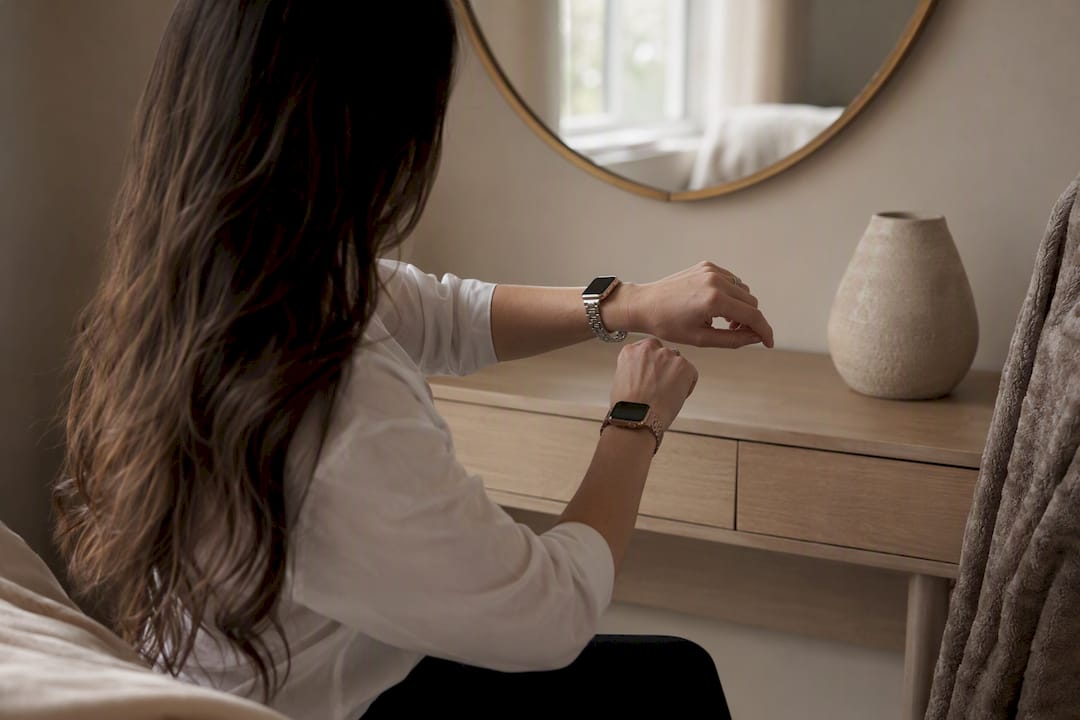
Most people with small wrists, meaning anything under roughly 160mm to 165mm around, will get a better everyday fit from the 41mm Apple Watch than the 45mm. It sits closer to the wrist bone, avoids lug overhang on most petite arms, and still runs the same software as its bigger sibling. The exception: readers who prioritize screen readability above all else, or whose wrist actually measures near 165mm to 175mm, where 45mm can still work with the right band.
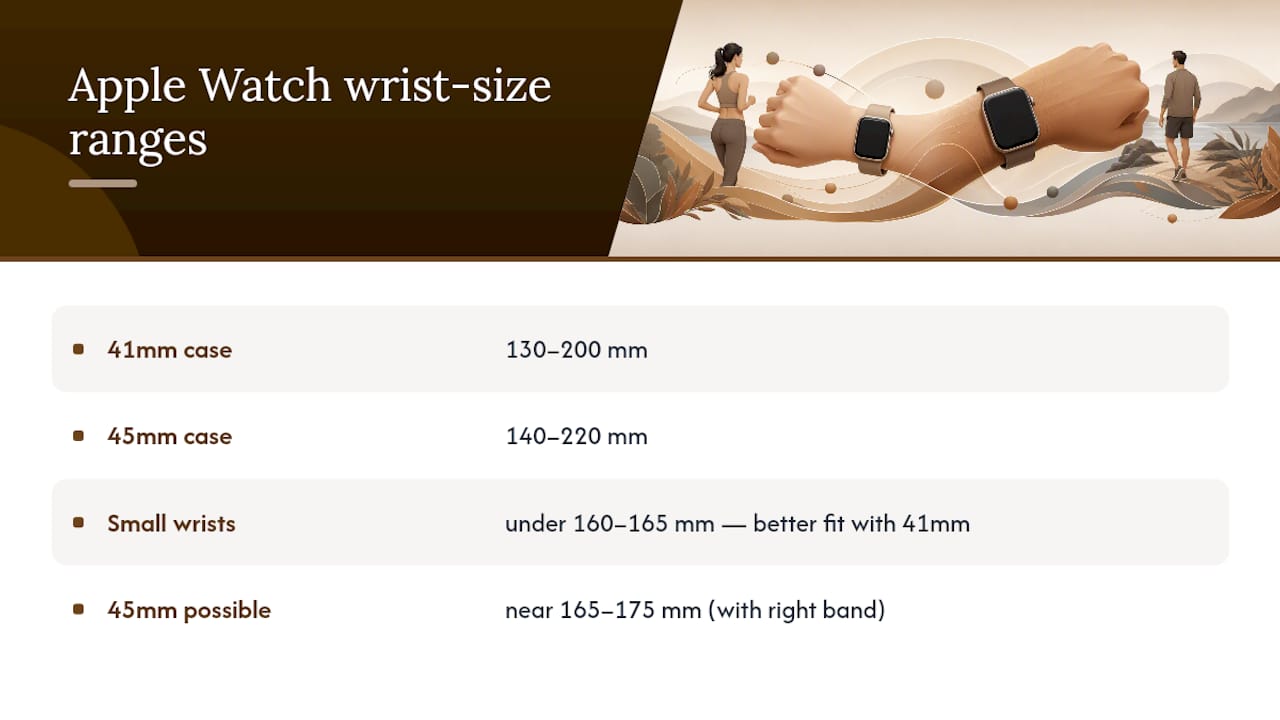
Apple’s own sizing guidance places the 40/41mm case for wrists between about 130mm and 200mm, and the 44/45mm case for wrists between roughly 140mm and 220mm. That overlap is wide, which is exactly why fit reports from actual owners matter more than the chart alone. The 45mm adds real screen area and a sharper display, but it also adds grams of case weight and a few extra millimeters of lug length that show up fast on a narrow wrist. A well-chosen band, including an adjustable metal-link option from Wizeband, can close a lot of that gap either way.
Key Takeaways
Most small wrists under 155mm fit better with the 41mm Apple Watch, while borderline wrists between 150mm and 165mm should prioritize band choice over case size.
| Point | Details |
|---|---|
| Follow Apple’s wrist ranges | 40/41mm suits roughly 130mm to 200mm wrists, 44/45mm suits about 140mm to 220mm. |
| Weigh screen against bulk | The 45mm offers a larger display but adds weight and lug overhang on narrow wrists. |
| Trust lug overhang over circumference | If the case edges extend past the flat top of the wrist, expect snagging regardless of measured size. |
| Fix borderline fits with the band | An adjustable Sport Loop, Modern Buckle, or metal link often solves a marginal size decision. |
| Consider Wizeband for fine-tuned fit | Wizeband’s adjustable metal-link bands, like the Gaia Metal Strap, work across both size groups for a closer fit. |
Table of Contents
- Apple Watch 41mm vs 45mm on Small Wrists: The Core Trade-Off
- How Do You Measure Your Wrist for an Apple Watch?
- What Do Small-Wrist Owners Actually Report About Fit?
- Which Bands Actually Improve Fit on a Small Wrist?
- How Do You Keep Either Size Comfortable All Day?
- What’s the Final Checklist Before You Buy?
- Get a Better Fit Without Switching Case Sizes
- Frequently Asked Questions
- Sources
Apple Watch 41mm vs 45mm on Small Wrists: The Core Trade-Off
The decision comes down to four things: how the case sits on your wrist bone, how much screen you actually need, how the watch reads visually under a sleeve, and how much weight you’re willing to carry for eight or more hours a day. None of these favor one size universally, which is why the same 160mm wrist measurement produces happy 41mm owners and happy 45mm owners depending on what they value.
Statistic Callout: Reported display specs show the 41mm case has a smaller screen resolution than the larger 45mm case. 45mm is a real jump in visible screen area. That extra screen comes with a weight penalty. The 45mm case runs heavier across every material, sometimes by several grams depending on finish, which matters more on a 5.5 inch wrist than on a 7 inch one.
The trade-offs, in plain terms:
- More readable text and easier one-handed workout tracking on 45mm, at the cost of extra bulk under a jacket cuff.
- Lighter, closer-fitting comfort on 41mm, at the cost of slightly smaller touch targets.
- Both sizes share every sensor and software feature, so you lose nothing functionally by choosing smaller.
How Do You Measure Your Wrist for an Apple Watch?
Skip the guesswork. A five-minute measurement tells you more than any size chart alone.
- Wrap a soft tape measure or a piece of string around your wrist, right where the watch would naturally rest, just past the wrist bone.
- If using string, mark where it overlaps, then lay it flat against a ruler.
- Record the number in both millimeters and inches. Most people find millimeters easier for comparing against Apple’s ranges.
- Take a straight-on photo of your wrist next to a ruler. It helps later when comparing how a case will actually look, not just fit.
- Repeat the measurement twice. Wrist size can shift slightly by time of day or temperature.
Statistic Callout: Once you have your number, compare it against Apple’s published ranges: 40/41mm models fit wrists from about 130mm to 200mm, while 44/45mm models fit roughly 140mm to 220mm. Anything under 150mm sits solidly in 41mm territory. Between 150mm and 165mm is the real judgment zone, and above that, 45mm starts to make more practical sense. Practical guides on measuring technique note that a string-and-ruler method is often more accurate than eyeballing a tape measure, since tape can sag or twist around a narrow wrist.
What Do Small-Wrist Owners Actually Report About Fit?
Apple’s size chart tells you what fits. Forum threads tell you what feels right, and those two things diverge more often than you’d expect.
The most consistent complaint about 45mm on a small wrist isn’t the diameter. It’s bulk. Owners with wrists in the 160mm to 172mm range repeatedly describe the 45mm as snagging under jacket cuffs or feeling “cumbersome” during workouts, even when the case technically fits within Apple’s range. A long-running MacRumors thread built around a 171mm wrist collects dozens of these reports, and the pattern holds: many buyers who start with 45mm end up returning it for 41mm within weeks.
A few patterns worth noting:
- Wrists around 150mm to 155mm almost universally favor 41mm, with little disagreement in forum replies.
- Wrists around 160mm to 165mm split roughly down the middle, with active users leaning 41mm and desk-bound users more open to 45mm.
- Returns cluster around one complaint: the watch “looks too big” in photos even when it felt fine in the store.
Pro Tip: Circumference alone won’t tell you if a watch will feel bulky. Check lug overhang instead: if the case’s edges extend past the flat top of your wrist, it will snag on sleeves and look oversized no matter what your wrist measures in millimeters.
Which Bands Actually Improve Fit on a Small Wrist?
The case size matters, but the band you put on it changes the entire experience more than most buyers expect.
Some band styles are far more forgiving on narrow wrists than others. The Apple Sport Loop is a good example: it tightens with hook-and-loop fabric rather than fixed links, so it adjusts in small increments without needing a jeweler or a link-removal tool. Apple’s own Modern Buckle is exclusive to the 41mm case group and was designed specifically with a snugger, more tailored fit in mind, which is worth knowing if you’ve already decided on the smaller case. Milanese-style mesh bands and adjustable metal-link bands, including Wizeband’s quick-adjust designs, offer similar flexibility because they let you resize in small steps rather than jumping between preset holes.
A few practical notes on compatibility:
- Bands sized for 41mm generally work on 40mm cases too, and the reverse holds for 44mm and 45mm, since Apple kept the same two lug-width groups across generations.
- If you already own a band for one size and switch cases, check the lug width before assuming it will transfer.
- Adjustable metal-link designs, like Wizeband’s stainless steel options for women with small wrists, let you remove links yourself instead of guessing at a preset size.
- Leather bands with multiple buckle holes offer a middle ground, though they adjust in bigger jumps than a link or loop system.
Swapping the band is often cheaper and faster than returning the whole watch. A slimmer metal link or adjustable loop can make a borderline 45mm read as proportionate, an insight echoed in iMore’s size comparison, where band choice shifted perceived bulk more than the case height itself did.
How Do You Keep Either Size Comfortable All Day?
A few small adjustments prevent most of the long-term irritation people report with a larger case on a small wrist.
- Wear the watch slightly higher on the wrist, past the bone, to reduce pressure points during flexion.
- Leave enough slack for one finger to slide under the band. Too tight interferes with the heart rate sensor; too loose lets the case rotate and snag.
- Rotate your cuff or roll your sleeve slightly higher if you notice repeated catching, rather than fighting the fabric all day.
- Switch to a lighter aluminum case or a slimmer band for workouts, saving the heavier steel option for days you’re mostly seated.
Pro Tip: If you’re between sizes and lean toward 45mm for the screen, pair it with the lightest band option you own. A featherweight Sport Loop or a slim metal link can offset a surprising amount of the case’s added heft.
What’s the Final Checklist Before You Buy?
Run through these before finalizing your order or before your return window closes.
- Confirm your wrist measurement against Apple’s ranges: under 150mm strongly favors 41mm, 150mm to 165mm is a judgment call, above 165mm opens the door to 45mm.
- Take a mirror photo of your bare wrist and, separately, one with a similarly sized watch or cardboard cutout to visualize proportion before you commit.
- Simulate a jacket cuff at home by pulling a long sleeve over the watch to check for snagging.
- Wear whichever size you’re leaning toward for a full 24 hours, including sleep if you track it, before deciding it’s final.
- If the case fits but feels slightly large, try swapping the band before returning the whole watch. An adjustable metal-link or Sport Loop often solves borderline cases.
A Quick Take on Sizing for Small Wrists
For a wrist under 155mm, the 41mm is the clear pick. Above that, it comes down to whether you’d rather have a closer, lighter fit or a bigger, easier-to-read screen, and no chart settles that trade-off for you. Test both in person if you can, because photos and specs only tell half the story.
Get a Better Fit Without Switching Case Sizes
If you’re still torn between 41mm and 45mm, remember the case is only half the equation. The band you choose changes how either size actually feels and looks on your wrist, and that’s the part you can fix without waiting for a return window.
Wizeband builds adjustable metal-link and butterfly-clasp bands designed to solve exactly the fit problems this guide covers: overhang, bulk under cuffs, and that “too big” look in photos. The Gaia Metal Strap uses a quick-adjust clasp that lets you fine-tune fit in small increments, similar in spirit to the Sport Loop but with a jewelry finish, and it works across Apple Watch Series 4 through 10, SE, and Ultra 2 in both size groups. If you’d rather test a few styles before settling on one, the Wizeband Essentials Bundle gives you multiple adjustable options to compare on your own wrist, at home, without the pressure of an in-store decision.
Frequently Asked Questions
Is 41mm or 45mm better for a small wrist? For most wrists under 155mm, 41mm gives a closer, lighter fit with minimal lug overhang. Wrists between 150mm and 165mm can go either way depending on whether screen size or a snug fit matters more.
What wrist size is too small for the 45mm Apple Watch? Apple lists 140mm as the minimum for 44/45mm models, but forum reports suggest anything under about 150mm to 155mm tends to show noticeable overhang and bulk on the 45mm case.
Can I make a 45mm Apple Watch fit better on a small wrist? Yes. Swapping to an adjustable metal-link band or a Sport Loop often reduces the perceived bulk more than the millimeter difference in case height would suggest.
Do 41mm bands fit 40mm cases, and do 45mm bands fit 44mm cases? Yes. Apple kept the same two lug-width groups across generations, so bands sized for 41mm work on 40mm cases, and 45mm bands work on 44mm cases, and vice versa.
How do I know if my wrist is considered small for an Apple Watch? If your wrist measures under about 150mm to 155mm, most fit guides and forum consensus classify that as a small wrist best suited to the 41mm case.
Sources
- Apple Watch size comparison — MakeUseOf
- Apple Watch 41mm vs 45mm — iMore
- 41mm vs 45mm Series 8. 6 3/4" / 171mm wrist | MacRumors Forums
- How to choose Apple Watch band sizes — MacRumors
Recommended
From the blog
View all


Leave a comment